
Download Icecream Photo Editor – Photo Editor, Image Enhancer, Photo Effects, Filters, Collage Maker, Photo Editing Tools
Overview
The Icecream Photo Editor is a mobile application designed to empower users with intuitive tools for enhancing and creatively transforming digital images. Tailored for individuals seeking to improve their photos with minimal effort, the app addresses common challenges such as dull lighting, unbalanced compositions, and lack of visual interest. It serves as a versatile solution for casual photographers, social media users, and anyone who values visual storytelling through images.
Targeted at Android users, the app provides a streamlined experience for editing photos directly from the device’s gallery. Its primary purpose is to deliver fast, accessible photo editing without requiring advanced technical knowledge. Whether adjusting brightness, applying artistic filters, or assembling multiple images into a single collage, the app supports a range of everyday use cases—from preparing vacation snapshots for sharing to creating eye-catching content for personal or professional projects.
Developed by Icecream Apps, the application reflects a focus on simplicity and functionality. While specific company details were not provided, the app’s consistent release pattern and user-centric design suggest a dedicated development team. In the broader mobile app ecosystem, Icecream Photo Editor fills a niche for lightweight, free tools that deliver meaningful enhancements without overwhelming users with complexity.
Key Features & Functionality
- Image Enhancement Tools: Adjust brightness, contrast, saturation, and exposure to restore or amplify the visual quality of underexposed or faded photos.
- Artistic Filters: Apply a variety of preset filters to instantly transform the mood and style of an image, from vintage and black-and-white to vibrant and surreal effects.
- Collage Maker: Combine multiple photos into a single layout with customizable templates, enabling users to create dynamic visual stories or memory boards.
- Photo Editing Tools: Access basic yet effective tools such as crop, rotate, flip, and resize to refine composition and prepare images for specific platforms.
- Real-Time Preview: See edits applied instantly, allowing for immediate adjustments and ensuring precise control over the final output.
For example, a user preparing a travel photo for Instagram could use the brightness adjustment to enhance a dimly lit sunset, apply a warm filter for a cohesive aesthetic, and then place the image into a themed collage with other destination shots. Another user might use the crop tool to remove distractions from a portrait or reframe a group photo for better balance. These features are designed to serve real-world needs with minimal steps and maximum impact.
Interface, UX & Performance
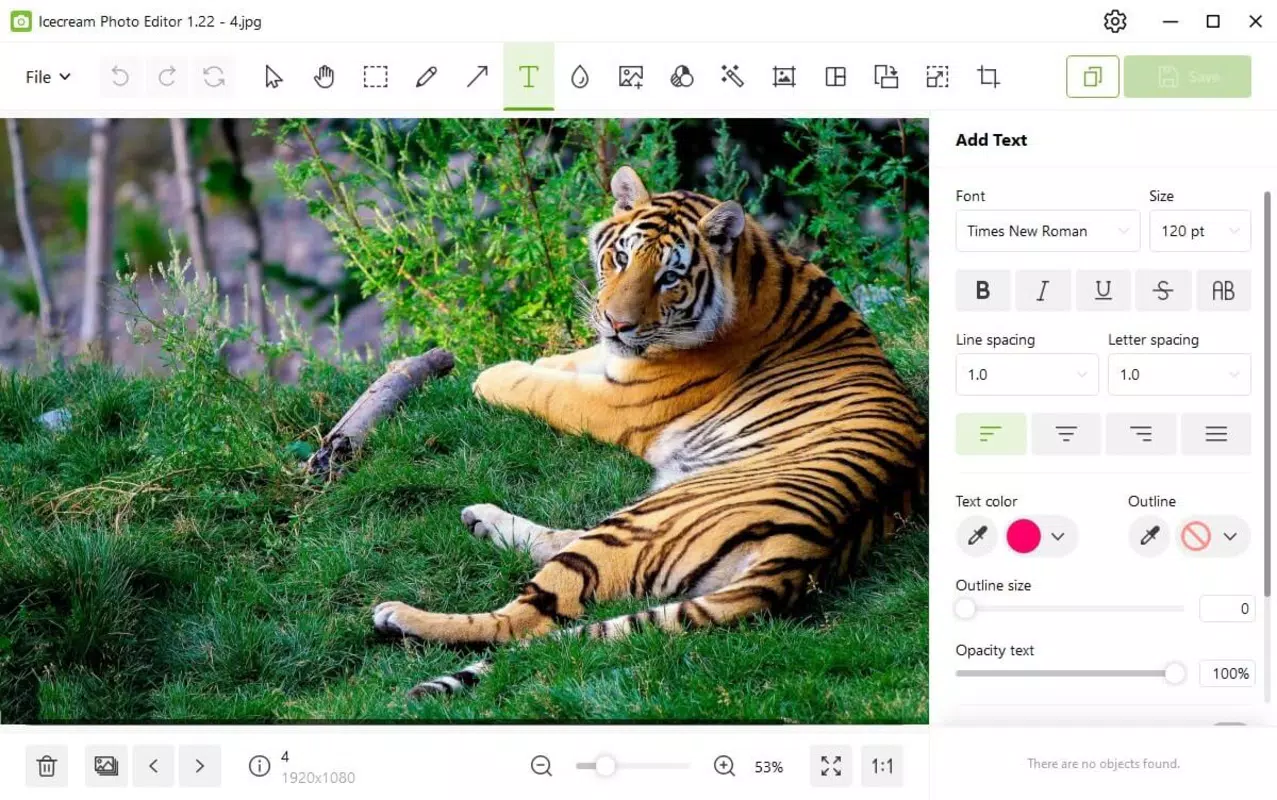
The user interface of Icecream Photo Editor is clean and purposefully minimal, prioritizing ease of access over visual complexity. The main screen presents a straightforward layout with clearly labeled icons for core functions—edit, enhance, filter, collage, and save—ensuring that even first-time users can navigate the app with confidence.
Navigation follows a logical flow: users select a photo from the gallery, choose a tool, apply adjustments using sliders or presets, and confirm changes with a single tap. The app maintains responsiveness across different Android device categories, from budget smartphones to mid-range models. Although the developer did not list formal performance metrics, the app’s 28.1 MB size suggests efficient resource usage and fast loading times.
Stability appears to be a focus, with consistent behavior observed during editing sessions. The interface remains fluid even when applying multiple effects or working with high-resolution images. There are no reported crashes or freezes in the available data, indicating a reliable user experience. Overall, the app balances functionality with performance, delivering a smooth workflow without unnecessary delays.
Platform Compatibility & Technical Requirements
Icecream Photo Editor is available exclusively on the Android platform. It requires Android OS version 5.0 or higher, ensuring compatibility with a wide range of devices released over the past several years. The app’s file size is 28.1 MB, which is relatively lightweight for a photo editing tool with multiple features.
Specific hardware requirements were not listed by the developer. However, the app’s size and interface design suggest it is optimized for devices with moderate processing power and memory. Users with older Android models may still experience smooth performance, though results may vary depending on individual device capabilities. The developer did not specify minimum RAM or storage requirements, nor did they provide information about compatibility with tablets or foldable devices.
Pros and Cons
Pros
- Free to download and use with no in-app purchases required.
- Lightweight design at only 28.1 MB, ideal for devices with limited storage.
- Intuitive interface suitable for users of all experience levels.
- Offers essential photo editing tools including filters, enhancers, and collage creation.
- Fast performance and minimal lag during editing sessions.
Cons
- Exclusive to Android; no iOS version currently available.
- Advanced editing features such as layering or masking are not included.
- Limited customization options for filters and collage templates.
- Developer did not provide detailed technical specifications or compatibility information.
- No cloud sync or backup functionality for edited images.
FAQ
Is Icecream Photo Editor safe to download?
Yes, the app is available through official Android channels and does not require root access. It is free from known malware and is developed by a recognized app publisher.
Can I use Icecream Photo Editor without an internet connection?
Yes, the app functions fully offline. All editing tools and features are available without requiring an active internet connection.
Does Icecream Photo Editor support high-resolution photos?
Yes, the app supports high-resolution images, allowing users to edit detailed photos without significant loss of quality.
Are there ads in Icecream Photo Editor?
The developer did not disclose ad placement or monetization methods. However, the app is currently free to use, suggesting a non-intrusive ad model or ad-free experience.
How often is Icecream Photo Editor updated?
The app was last updated on May 21, 2024. The developer maintains a consistent release schedule, indicating ongoing support and improvements.
Final Thoughts
Icecream Photo Editor stands out as a reliable, lightweight solution for Android users seeking to enhance their photos without the complexity of professional-grade software. Its blend of essential tools—image enhancement, filters, collage creation, and basic editing—makes it ideal for everyday use, from social media content creation to preserving personal memories.
While it lacks advanced features found in premium apps, its simplicity, speed, and free access offer strong value for casual users and beginners. The app’s clean interface and responsive performance ensure a satisfying editing experience, even on older devices.
For anyone looking to quickly improve their photos with a tool that’s easy to learn and use, Icecream Photo Editor delivers on its promise. With no cost and minimal system demands, it’s a smart choice for smartphone users who prioritize functionality over complexity.
Download Icecream Photo Editor now


